
Specify A Best Seller
Points to be aware of
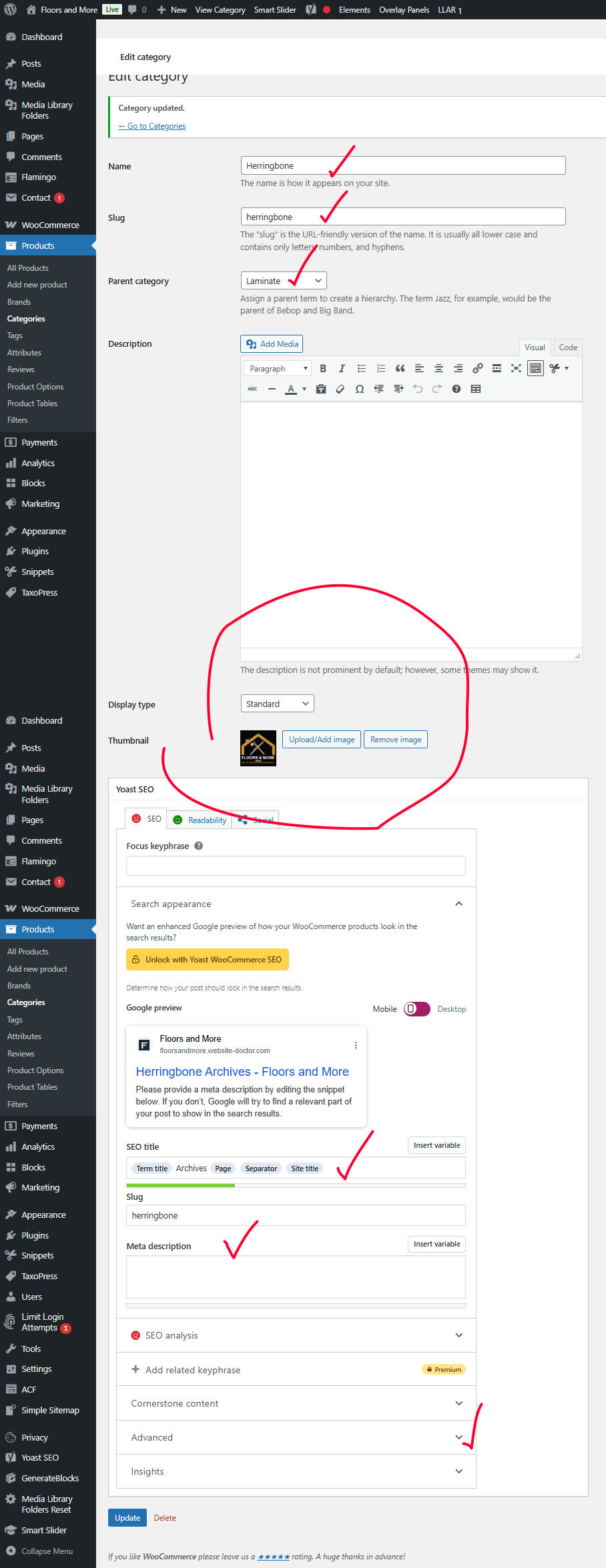
The parent page is Laminate in this instance
The page name people see in the breadcrumbs is Herrinbone
The URL for this will be /laminate/herringbone/product-name
The picture / graphic which goes with Laminate come from uploading something as marked.
The page Title
Page Description
Page Canonicalization should all be filled in.
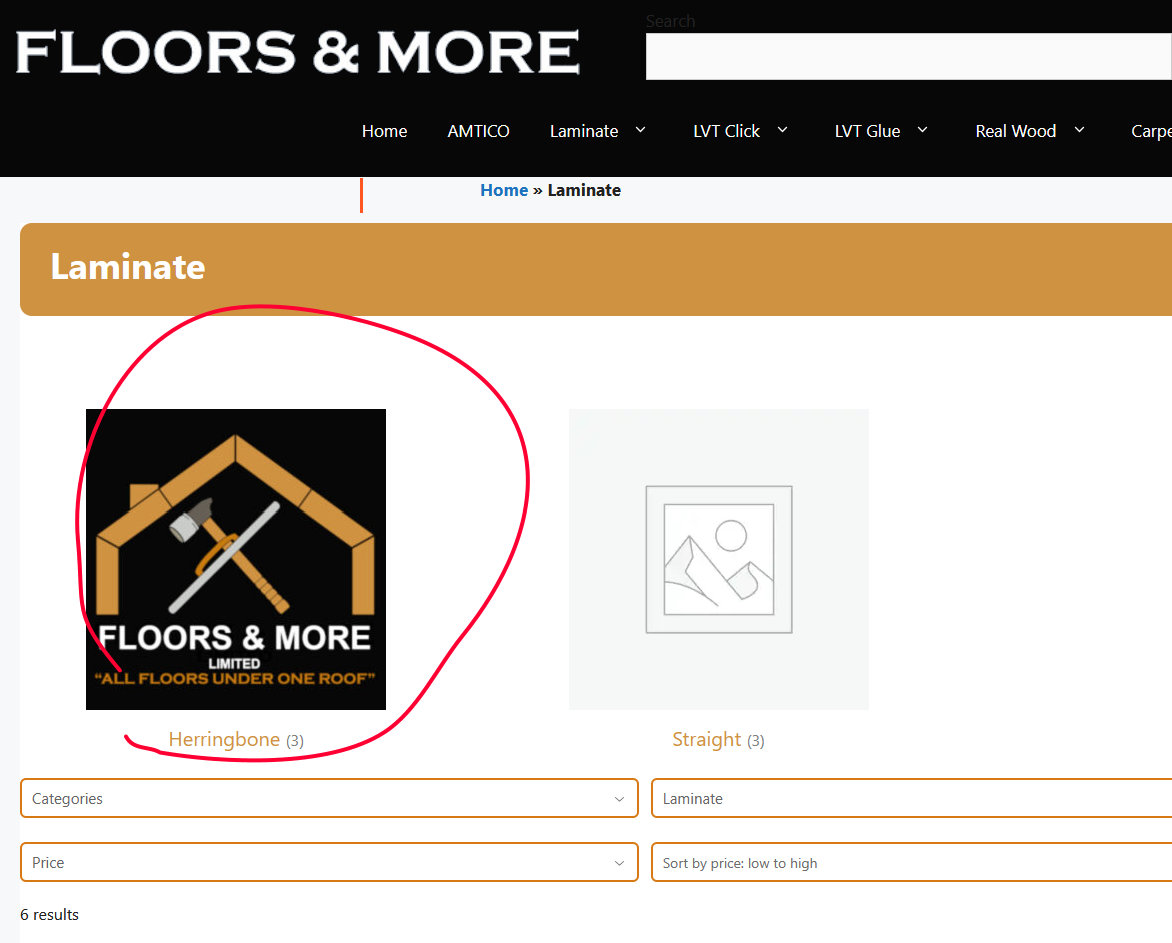
This shows where the graphic see above will appear – this is just a placeholder graphic to illustrate the point
On this page
https://floorsflamehome.co.uk/floors/lvt-glue/
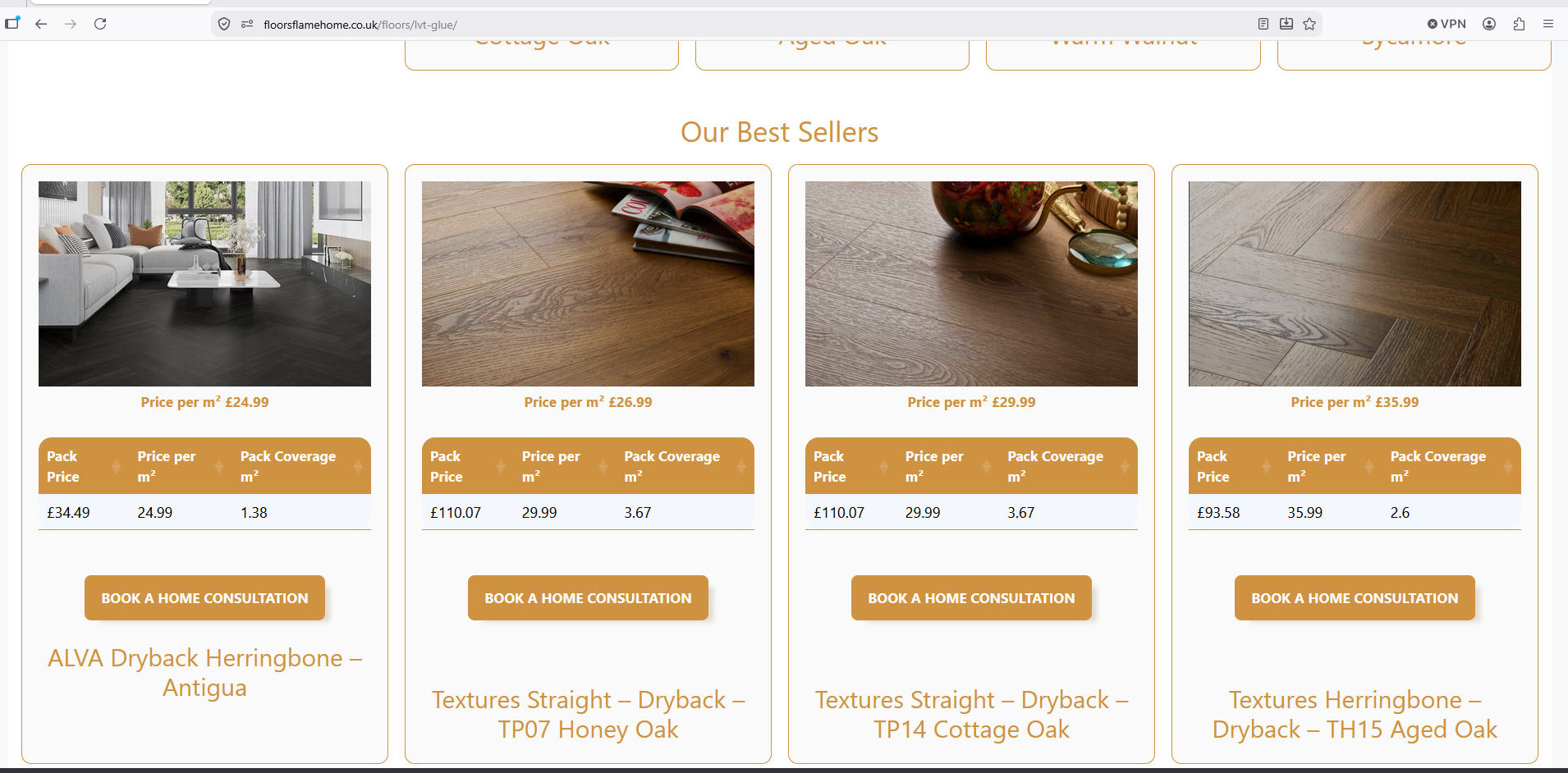
at the foot of the products there is another query loop which shows 4 best sellers.
Clearly these have been picked at random by me.
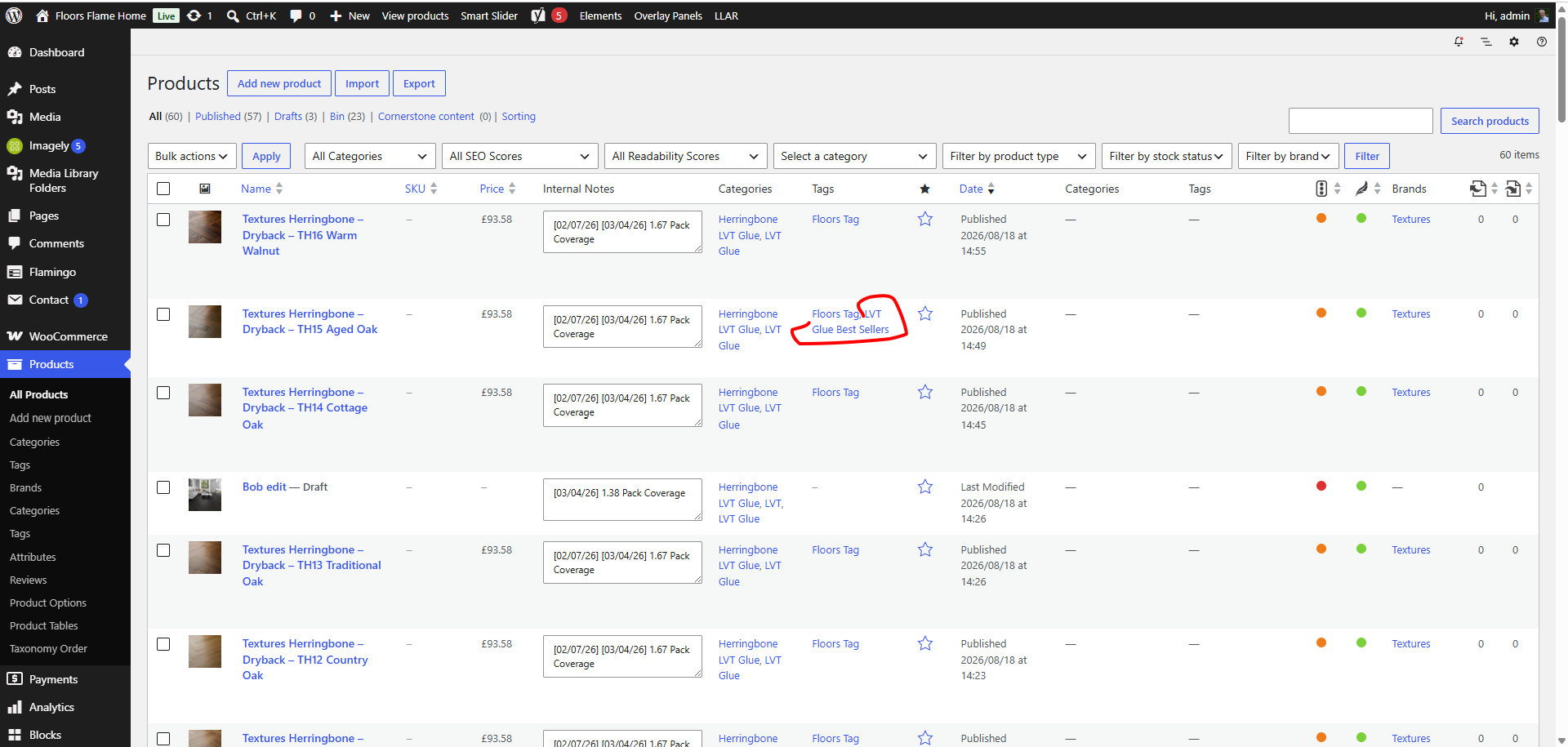
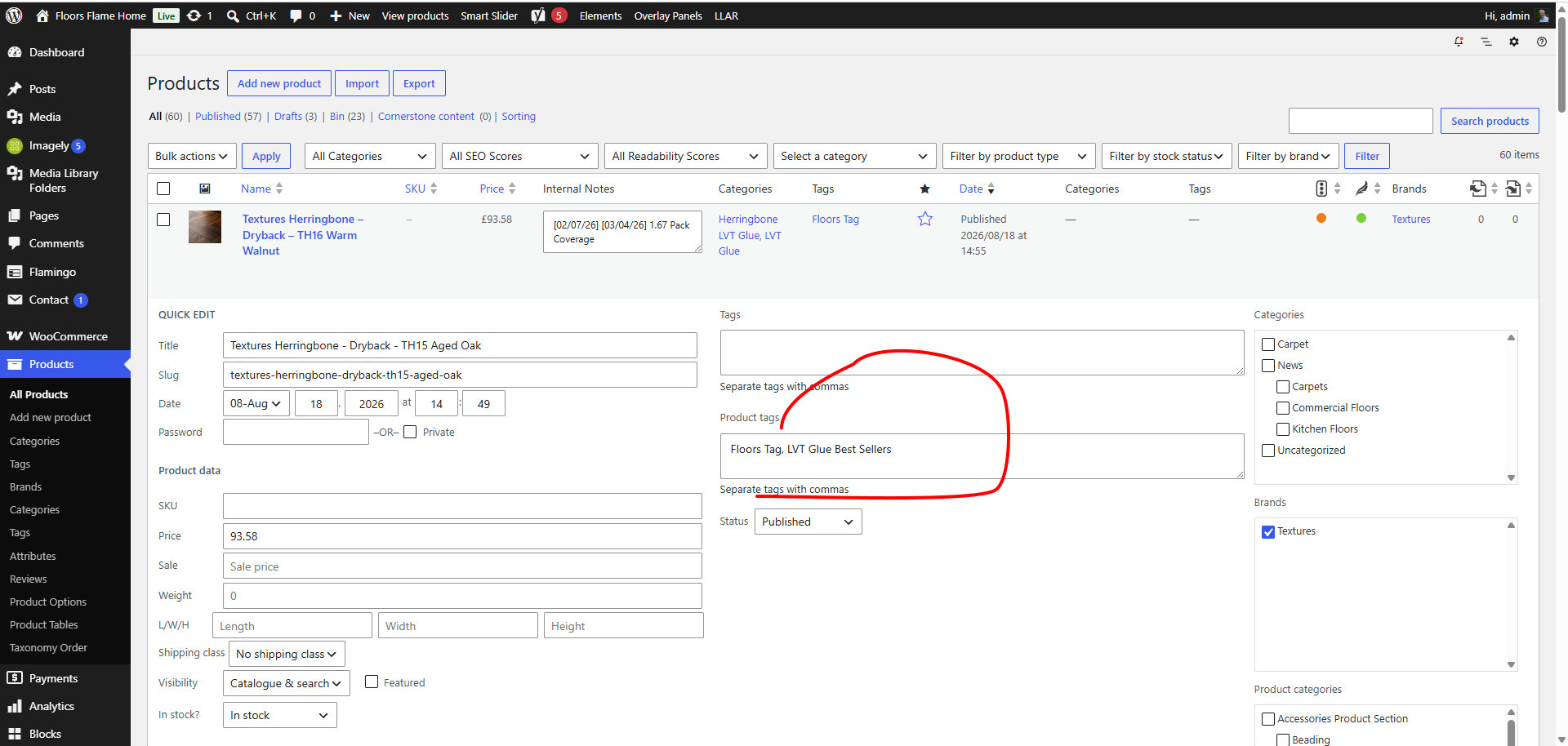
To change to 4 you actually want go to the Products section
There you can hover over a product and you will see “Quick Edit”
Delete “LVT Glue Best Sellers” will remove the product from the Best Sellers list and of course adding that to another will add that to the best sellers. I have set the best sellers to hold 4 options but it could be three.
There is a bit more to making all of this work – but that will have to wait until next week. If this meets your needs I will setup something similar for the other products.
